

Accept NOT and DOGS Payments on TON: Memo Requirements Explained
Share
⏱️ TL;DR: CCPayment now supports NOT and DOGS payments on TON, allowing merchants to accept both tokens through their existing crypto payment setup. For deposits that require a Memo, customers must enter it correctly so payments can be matched to the right user or order. A missing or incorrect Memo may prevent the deposit from being linked to the intended user or order, which can also prevent the expected Webhook notification and automatic account crediting.This guide explains how to avoid these issues when accepting TON payments.
A player sends DOGS to top up a gaming account. The blockchain shows a completed transfer, but the player's balance remains unchanged. If the Memo returned with the payment details was omitted or entered incorrectly, the platform may be unable to match the deposit to the intended player account.
CCPayment now supports NOT and DOGS payments on TON, giving gaming platforms, Web3 services, and other crypto-native businesses more ways to serve their customers. For platforms that automatically credit user accounts, displaying the exact address and Memo returned by CCPayment is essential to the deposit flow.
What Are NOT and DOGS?
NOT is the token associated with Notcoin, a Telegram-based tap-to-earn game that introduced many users to the TON ecosystem. DOGS is a community-driven memecoin closely connected to Telegram culture and the TON network. Both are Jettons issued on TON rather than the network’s native currency, Gram.
For merchants serving these communities, accepting NOT and DOGS gives customers another way to pay with assets they already hold, without first swapping into another cryptocurrency.
Why Accept NOT and DOGS Payments?
Reach TON-Native Users
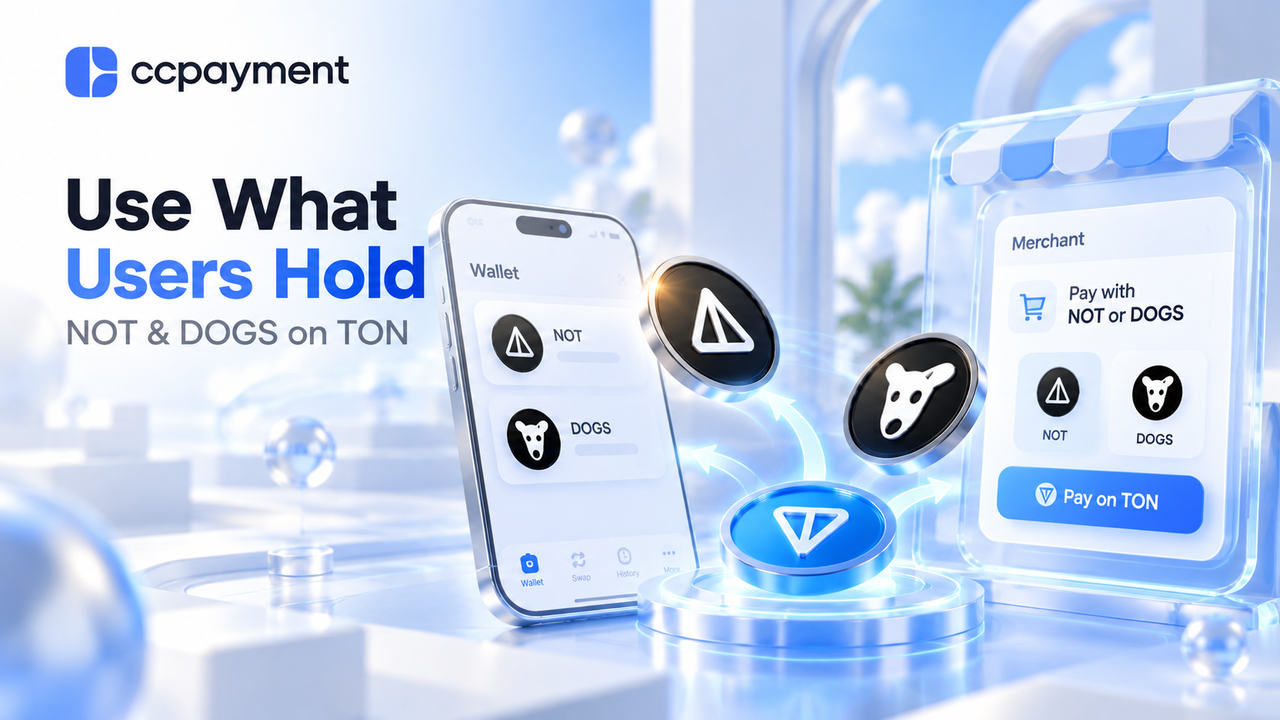
NOT and DOGS are familiar assets among Telegram and TON communities. Gaming platforms, Telegram-based services, and Web3 projects serving these users can offer both tokens for account funding, digital purchases, or other supported payments.
Reduce Unnecessary Conversion
When a customer holds NOT or DOGS but a platform accepts only TON or USDT, they need to swap before paying. Supporting both tokens removes that extra step for customers who already hold them. Unless their wallet supports a sponsored or gasless transaction, users need enough Gram (GRAM) to cover the applicable TON network fee.
Expand TON Payment Coverage
Merchants can add NOT and DOGS through their existing CCPayment integration without developing a separate payment-monitoring process for each token. Payment operations teams can continue managing transaction records and payment status through the same merchant environment.Businesses can check the available assets and networks in CCPayment's Supported Cryptocurrencies Directory.
What Is a Memo in TON Payments?
A TON payment memo, sometimes called a Comment, is extra information included with a transfer. It helps the receiving platform identify which customer or order the payment belongs to.
When several users send funds to the same receiving address, the address alone may not be enough to identify the payer. The Memo provides the additional information needed to match the deposit correctly.
TON supports different payment identification methods, including shared addresses with comments and separate receiving addresses. Its official payment processing documentation explains these approaches, while the Jetton payment guide covers token transfers on TON.
Not every TON payment requires a Memo. However, when CCPayment provides a Memo with the payment details, customers must include it exactly as shown. Merchants can also use the Get Chain List API to check Memo requirements for supported networks.
Why Missing or Incorrect Memos Can Cause Payment Issues
A payment may reach the correct blockchain address without being matched to the intended customer or order. For a gaming platform, this can mean that the player sees a completed transfer in their wallet while their game balance remains unchanged.
According to CCPayment's Deposit Payment Memo FAQ, funds sent without a required Memo may still be credited to the merchant's CCPayment account. However, the deposit may not be linked to a specific user or order, and these transactions typically do not trigger Webhook notifications.
This means a missing Webhook does not necessarily indicate that no payment was made. Merchants may need to investigate unmatched deposits manually.
Incorrect Memos also create risks. A payment could be associated with the wrong account, and fraudulent users may attempt to claim someone else's deposit using forged screenshots or videos.
If a customer reports an unmatched payment, collect the transaction hash, token, amount, receiving address, and Memo used. Contact CCPayment support for further investigation, and verify the transaction carefully before making any balance adjustments. Recovery cannot be guaranteed.
How NOT and DOGS Payments Work with CCPayment
Generate the Payment Details
Existing CCPayment merchants can enable NOT and DOGS under Merchant Settings → Settings → Tokens For Your Business.
For platforms using permanent deposit addresses, CCPayment returns the payment details associated with the merchant's user reference, including a Memo when required. Merchants should display both the receiving address and Memo clearly in their own deposit interface.
For order-based payments, merchants should use the payment details provided by the selected order or Hosted Checkout flow.
Customer Sends NOT or DOGS
Customers select NOT or DOGS and transfer the token over TON using the provided payment details. If a Memo is required, they must copy it exactly as shown.
Before sending, customers should confirm the token, network, receiving address, Memo, and available Gram (formerly Toncoin) for the network.
Detect and Match the Payment
For correctly identified deposits, CCPayment monitors the transaction and provides the corresponding payment status and records.
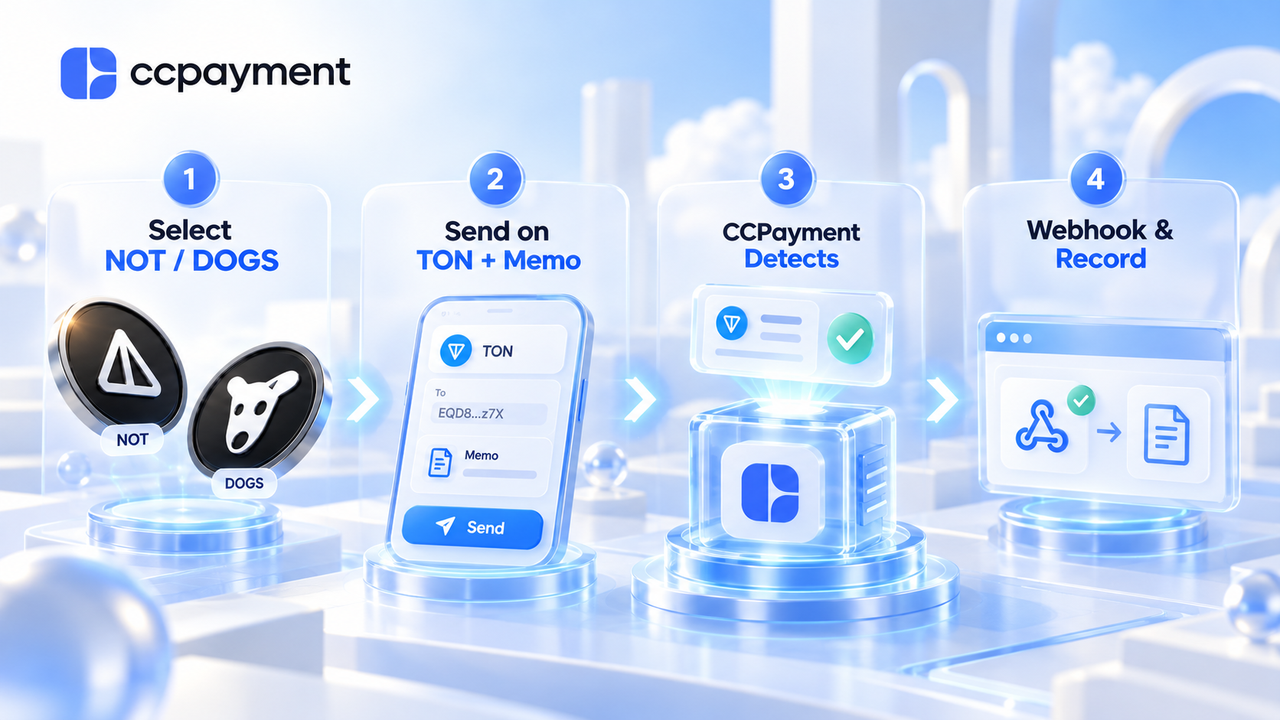
A typical automated deposit follows this process:
Customer Sends NOT/DOGS → CCPayment Detects Payment → Webhook Notification → Merchant Verifies Record → User Balance Updated
Merchants should treat the Webhook as a notification, verify its signature, and query the corresponding payment record before crediting a user.For permanent-address deposits, use Get Deposit Record.
For order payments, query the relevant order information. Only confirmed Success payments with isFlaggedAsRisky set to false should be credited, and each recordId should be processed only once to prevent duplicate credits.
The merchant's own system remains responsible for updating the customer's account balance after verification.
Best Practices for Merchants Accepting TON Payments
Make the Memo easy to find. Display it beside the payment address with a separate copy button and a clear reminder not to change or omit it.
Test the sending process. Make sure supported wallets can include the required Memo and that copying or scanning payment details does not leave it out.
Review unmatched deposits carefully. If a customer reports a completed payment without an account credit, check the transaction details instead of relying on screenshots or manually crediting an unverified claim.
Keep payment records for reconciliation. Match verified deposits with your internal account records and track unresolved cases separately.
Review payment fees. New merchants can check CCPayment's fees before getting started. For each deposit, merchants can view the service fee and received amount in the Merchant Dashboard or through the API. The deposit network fee is paid by the sender.
Start Accepting NOT and DOGS with CCPayment
Merchants serving TON and Telegram communities can now offer NOT and DOGS alongside their existing cryptocurrencies. Before going live, test a complete deposit or checkout flow and make sure customers can easily find and copy any required Memo.
Enable NOT and DOGS in Tokens for your business, test the address-and-Memo flow, and confirm that your system verifies each deposit before updating a customer balance.
Create a CCPayment Merchant Account to get started, or Book a Call if your platform needs help setting up automated TON deposits.
Crypto Adoption for Business 2026
Deep dives into Web3 payments, industry trends, and how to scale your global commerce with zero-code integrations.
FAQ
Q1: When does accepting NOT and DOGS make sense for a business?
A: It is most relevant for gaming platforms, Telegram-based services, and Web3 businesses whose customers already hold NOT or DOGS. Merchants can offer these tokens alongside TON and stablecoins based on customer demand and their treasury policy.
Q2: Can merchants accept NOT and DOGS without building a separate TON payment integration?
A: Yes. Merchants already using CCPayment can enable NOT and DOGS within their existing payment integration instead of developing a separate payment-monitoring system for each token.
Q3: Why use a NOT or DOGS payment gateway instead of a TO
A: The funds may still reach the merchant's CCPayment account, but the deposit may not be matched to the correct user or order. These transactions typically do not trigger Webhook notifications, so merchants may need to investigate and reconcile them manually before crediting a customer.
Q5: Do customers need Gram, formerly Toncoin, to send NOT or DOGS?
Generally, yes. Gram (GRAM), formerly called Toncoin, is TON’s native currency and is used to pay network fees. Customers should keep enough Gram in their wallet when sending NOT or DOGS unless their wallet or payment service sponsors a gasless transaction.