

Paying Global Suppliers with Stablecoins: A Practical Guide for Businesses
Share
⏱️ TL;DR: Pay global suppliers with stablecoins through CCPayment's Single Withdrawal API or a Batch Withdrawal master order containing up to 500 recipient payments. Use custom order IDs and exportable records to reconcile payments with supplier invoices.
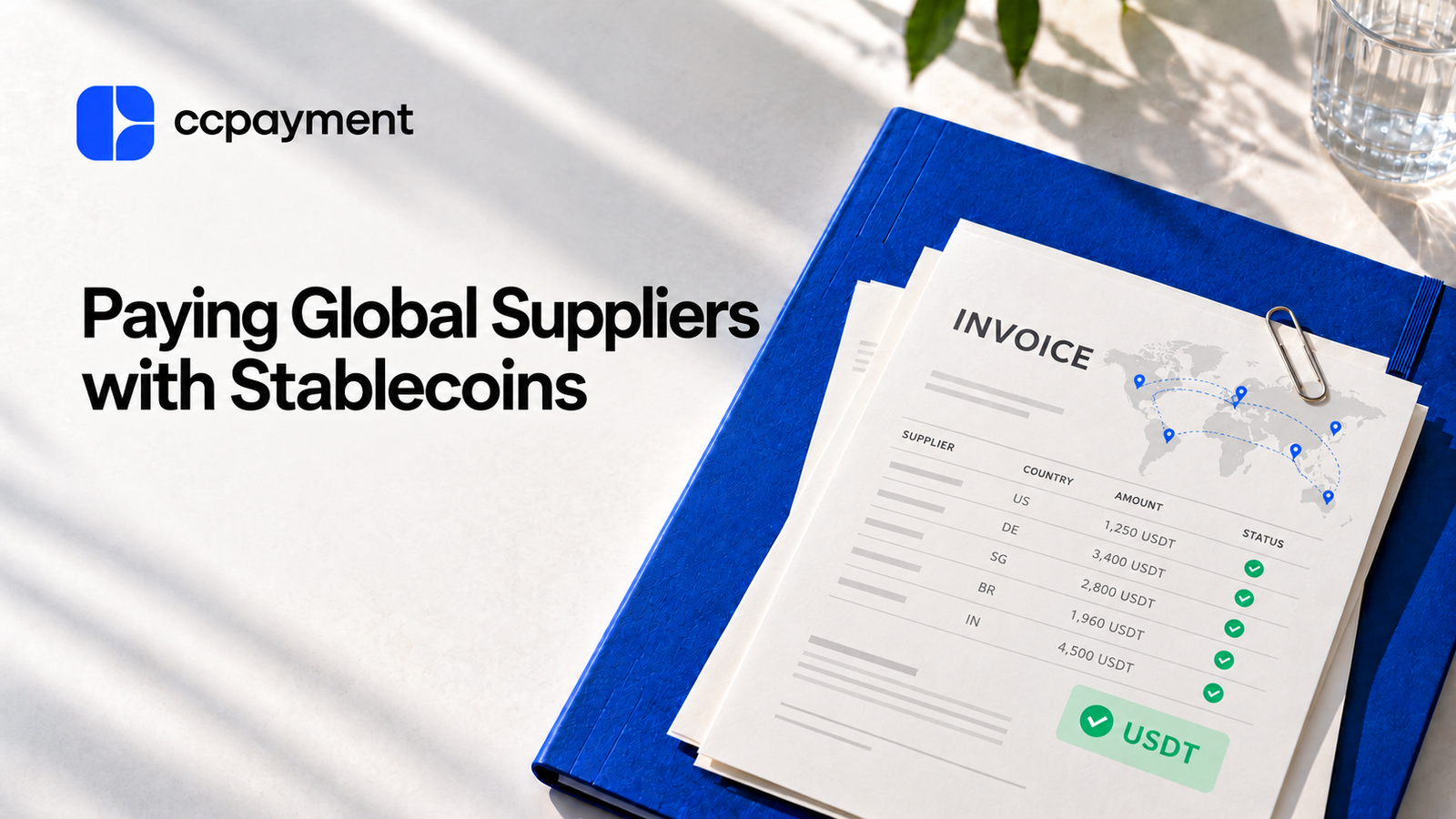
The Payment Problem Starts After the Invoice Is Approved
Once an overseas supplier's invoice is approved, the accounts payable (AP) team still needs to verify the recipient details, send the agreed amount, and confirm payment. With suppliers across several countries, that work often spans different payment systems and currencies, leaving finance to collect records from each one.
CCPayment lets your team pay suppliers with stablecoins through the Single Withdrawal API or Batch Withdrawal API. Payment references and transaction records help AP follow up with suppliers and match completed payments to invoices.
Why Are Cross-Border Supplier Payments Difficult?
Different suppliers require different payment routes
One supplier provides a local bank account; another requests an international wire in a different currency. AP has to collect the right recipient details, work around banking cutoffs, and track transfers across separate systems. A single payment run can involve several different procedures.
Payment amount and received amount can differ
Depending on the payment route, intermediary charges and currency conversion can leave a supplier receiving less than the agreed invoice amount. AP then has to explain the shortfall, confirm who should cover it, and sometimes arrange another transfer.
The World Bank's 2026 study of cross-border B2B payments in the Western Balkans documents cost differences across payment corridors, reinforcing the need to understand charges before releasing a supplier payment.
AP still needs to reconcile every payment
At month-end, AP needs to know which invoices are paid and which remain outstanding. Each transfer must link to the supplier, invoice number, amount, payment reference, and final status. When those details sit in separate portals and spreadsheets, finance has to piece them together manually.
How Stablecoin Supplier Payments Work
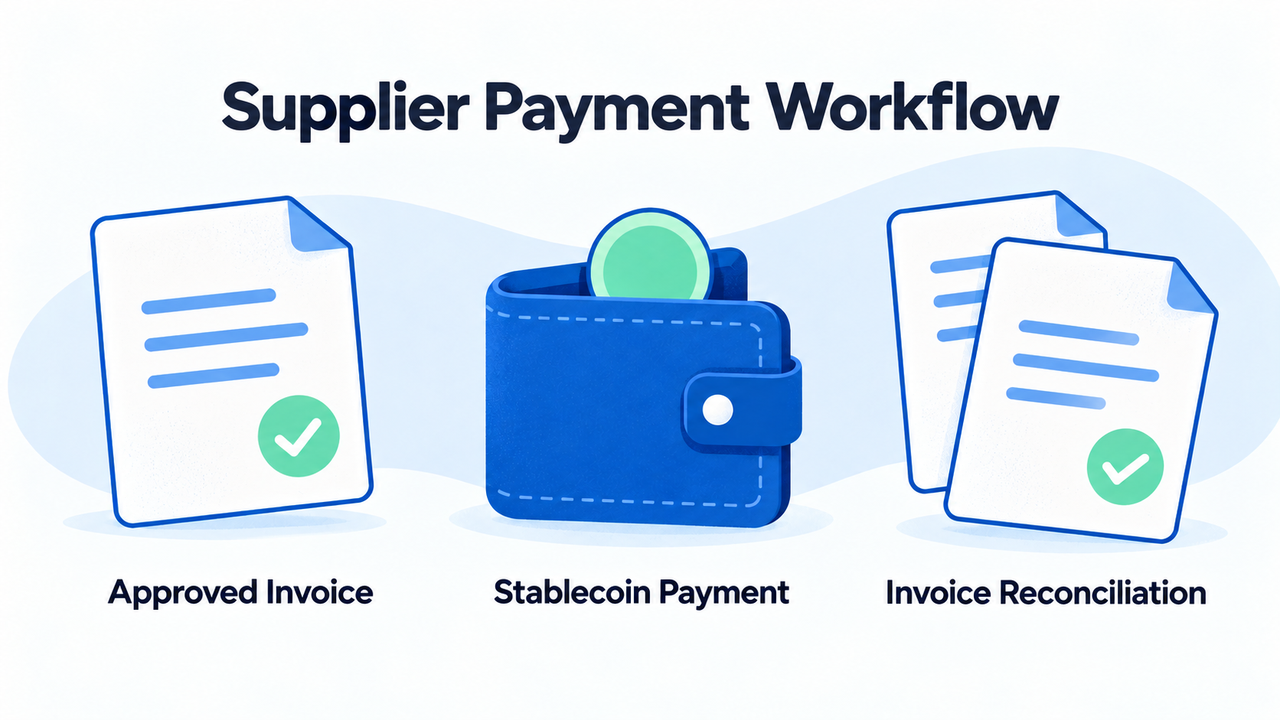
The process starts with the approved invoice:Approved supplier invoice → verified wallet, network, and amount → internal approval → withdrawal API or batch payout → stablecoin transfer → confirmed payout record → AP reconciliation.
For example, a marketing agency approves invoice INV-1048 from its design studio for $2,500. Both parties agree to settle the invoice with 2,500 USDT on a supported network.
AP verifies the studio's wallet details and assigns the custom payment order ID SUP042-INV1048-P1. The agency links this ID to the supplier and invoice in its accounting system, checks that its CCPayment merchant balance covers the payment and applicable fees, and submits the payout.
Once the payout status is Success, AP retains the CCPayment record ID and on-chain transaction hash, matches the result to INV-1048, and updates the invoice’s payment status.The saved order ID also makes the payment easy to retrieve if the supplier requests confirmation.
When Do Stablecoins Make Sense for Supplier Payments?
Start with suppliers already accepting stablecoins, then look at how often you pay them and how many transfers each payment run involves.
Global Suppliers Already Accept Stablecoins
When suppliers already accept stablecoins, their existing wallet setup gives AP a clear starting point. CCPayment lets businesses pay international suppliers with USDT on a supported network using those verified receiving details.
Frequent Cross-Border Supplier Payments
Weekly supplier invoices turn manual transfer entry into a recurring workload. For these stablecoin B2B payments, the business can store verified supplier details in its own vendor system and submit approved payouts through CCPayment’s Withdrawal API, reducing repeated data entry during each payment run.
Multiple Suppliers Across Different Markets
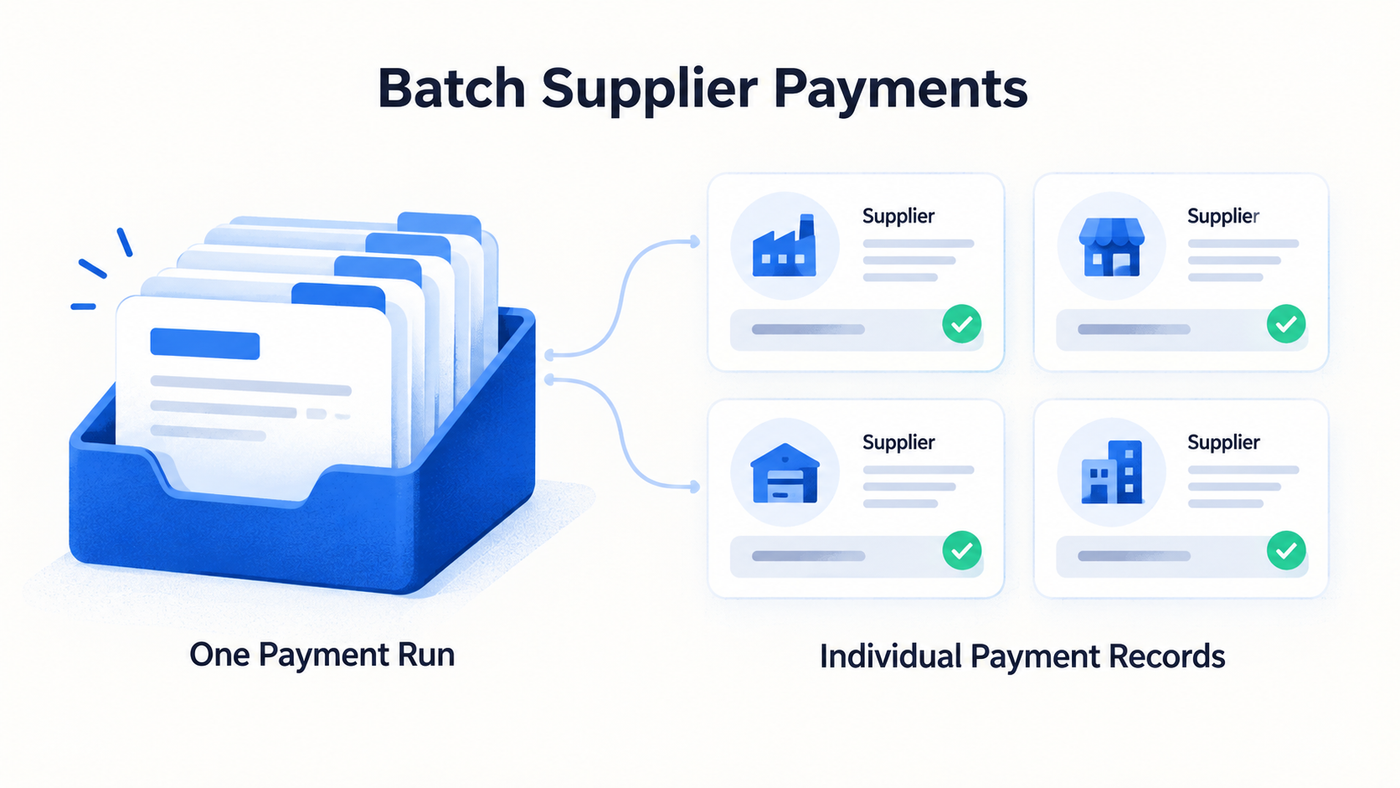
As recipient numbers grow, CCPayment’s Batch Withdrawal API lets AP organize payments using one master order while retaining a separate sub-order and result for each supplier payment.
This is useful when several overseas vendors have invoices due at the same time.
For iGaming and esports operators, those vendors may include software developers, content providers, and marketing agencies across different markets. Suppliers accepting supported stablecoins can be included in payment batches grouped by cryptocurrency and network.
Stablecoin Supplier Payments vs. Bank Transfers
Consideration | Stablecoin supplier payments through CCPayment | Cross-border bank transfers |
|---|---|---|
Availability | 24/7 blockchain availability | Banking cutoffs and business-day schedules may apply |
Settlement | Wallet transfer with on-chain confirmation | May pass through intermediary banks and local processing |
Withdrawal fees | 0% platform service fee and batch payouts | Transfer charges; FX or intermediary fees may apply |
Payment tracking | Custom order IDs, status updates, and blockchain transaction references | Bank references; tracking features vary by provider |
Batch payments | Up to 500 payouts per batch, using the same cryptocurrency and network | Bulk payment tools depend on the bank and integration |
What Should AP Teams Check Before Paying Suppliers in Stablecoins?
Before submitting a supplier payout, check these five items:
- Settlement terms: Agree on the stablecoin, network, payment amount, exchange-rate convention where applicable, and who pays the network fee. Confirm the exact amount that will settle the invoice in full.
- Verified recipient details: Check the wallet address and any required memo or destination tag. Confirm changes through an established supplier contact before updating saved details.
- Available funds: Ensure your CCPayment merchant balance covers the payout and applicable fees.
- Invoice reference: Assign a unique payment order ID and link it to the supplier and approved invoice in your accounting system.
- Payout approvals: Configure CCPayment's withdrawal approval rules to match your finance team's authorization requirements before submitting payment requests.
If a payout remains incomplete, check its status and any returned failure reason. Confirm the original request's final outcome before retrying to avoid paying the same invoice twice.
The BIS report on stablecoin arrangements in cross-border payments identifies potential improvements in cost, speed, and transparency, while noting that local requirements and access to payment services shape their use.
How CCPayment Supports Supplier Payout Workflows
Create Supplier Payouts
Use CCPayment’s Single Withdrawal API or Batch Withdrawal API to send supported cryptocurrencies from your merchant balance to suppliers’ external wallet addresses.
Your system can pass approved payment details and custom order IDs directly into payout requests, reducing repeated data entry.
Finance can set withdrawal approval thresholds and assign approvers so qualifying payouts are reviewed before execution.
API withdrawals and batch payouts carry a 0% platform service fee. Blockchain network fees apply.
Scale Recurring Supplier Payments
Process up to 500 supplier payouts per batch, using the same cryptocurrency and network. Batch Withdrawal lets AP handle a payment run without entering each transfer manually.
Your system determines when approved payouts are submitted. Each recipient payment carries its own merchant-defined orderId, while the complete payout run is tracked through a separate batchOrderId.
Track Completed Transactions
Use status notifications and API queries to follow each payout. Export dashboard records with order IDs, amounts, fees, payment times, and statuses for invoice reconciliation and month-end review.
AP can retrieve a supplier's payment using its order ID, keeping transaction inquiries tied to the correct invoice.
Start Paying Global Suppliers with CCPayment
Pay up to 500 suppliers per batch with 0% platform service fees on API withdrawals and batch payouts, while keeping clear payment records for invoice reconciliation.
Register for CCPayment to bring your supplier payouts into one workflow. Share the API documentation with your developers and get your next payment run ready.
Crypto Adoption for Business 2026
Deep dives into Web3 payments, industry trends, and how to scale your global commerce with zero-code integrations.
FAQ
Q1: Why should businesses pay suppliers with stablecoins?
A: Businesses can pay suppliers that already accept stablecoins through supported blockchain networks without relying solely on bank operating hours. The fit depends on the supplier’s wallet capabilities, agreed settlement terms, applicable requirements, and how the recipient plans to use or convert the funds.
Q2: Can stablecoin supplier payments reduce business payment costs?
A: CCPayment currently charges a 0% platform withdrawal fee on standard API and batch withdrawals. Businesses should still account for blockchain network fees, internal operating costs, and any conversion or off-ramp costs incurred by either party.
Q3: Are stablecoin payments suitable for businesses with many overseas suppliers?
A: Businesses can group approved supplier payments into batches, reducing transfer-by-transfer work as their supplier network grows. CCPayment helps AP handle larger payment runs while retaining visibility into each payout's result.
Q4: How do stablecoin supplier payments simplify reconciliation?
A: CCPayment's payment references, statuses, and exportable records help AP match payouts to approved invoices. Finance teams can complete reconciliation and respond to supplier queries with less manual searching across separate payment records.