Accept WBTC Payments with CCPayment

⏱️ TL;DR: WBTC is now available for CCPayment merchants. Let customers pay with Wrapped Bitcoin through your existing payment flow instead of requiring an extra swap into BTC or a stablecoin. Track each payment through a structured transaction record and a verifiable on-chain transaction hash, with order-level references where the selected payment flow supports them.
A Web3 analytics platform sells a premium API plan, but its checkout accepts only BTC and stablecoins. A customer holding WBTC may need to convert it into another accepted asset before returning to complete the purchase. That is avoidable payment friction.
CCPayment now lets merchants accept WBTC payments alongside other supported assets. For Web3 products, e-commerce, DeFi tools, games, iGaming, Mini Apps, and digital-service platforms, the value is practical: accept the asset customers already hold while preserving one operating model for orders, status notifications, and reconciliation.
What Is WBTC and How Is It Different from BTC?
BTC is native to the Bitcoin network. WBTC is a 1:1 tokenized representation of Bitcoin that can be used on other blockchain networks. The WBTC project currently lists networks including Ethereum, Solana, TRON, and BNB.
For merchants, the key difference is where the payment happens. BTC payments use the Bitcoin network, while WBTC payments use a supported blockchain network. On CCPayment, WBTC is currently supported on Ethereum, so WBTC payments through CCPayment are settled on Ethereum.This means the payment address, confirmation process, transaction hash, and network fee depend on the network used for the transaction.
Why Use a WBTC Payment Gateway?
Reach Customers with Wrapped Bitcoin Payments
Some Web3 and DeFi users already hold WBTC in wallets or platforms that support smart-contract assets. If your business does not accept it, the customer must convert before paying. A WBTC payment gateway turns that unnecessary detour into another available payment option.
This does not replace BTC or stablecoin acceptance. It gives customers a way to pay with the asset already in their wallet and lets merchants accept Wrapped Bitcoin without maintaining a separate payment stack.
Reduce Conversion Friction in WBTC Crypto Checkout
Extra swaps add approvals, network fees, and abandonment points. That matters when a customer is buying API credits, renewing a DeFi-tool subscription, funding a gaming balance, or purchasing a digital product.
With a WBTC crypto checkout, the integration model determines who selects the asset and network. In a merchant-specified order flow, your system sets WBTC and the network before CCPayment returns the payment address. In a customer-selected hosted checkout flow, WBTC can appear as an option only when it is enabled for your business; customers can select it where the configured flow supports customer-selected assets.
Add WBTC Deposits and Withdrawals to Multi-Asset Payments
WBTC adds a Bitcoin-linked option for customers active on smart-contract networks without creating a new order, notification, or reconciliation model.
For WBTC deposits and withdrawals, CCPayment currently supports the Ethereum network. The same payment, destination, and transaction-status controls used for other supported assets apply.
How CCPayment Supports WBTC Payment Flows
Accept WBTC Through Existing Payment Channels
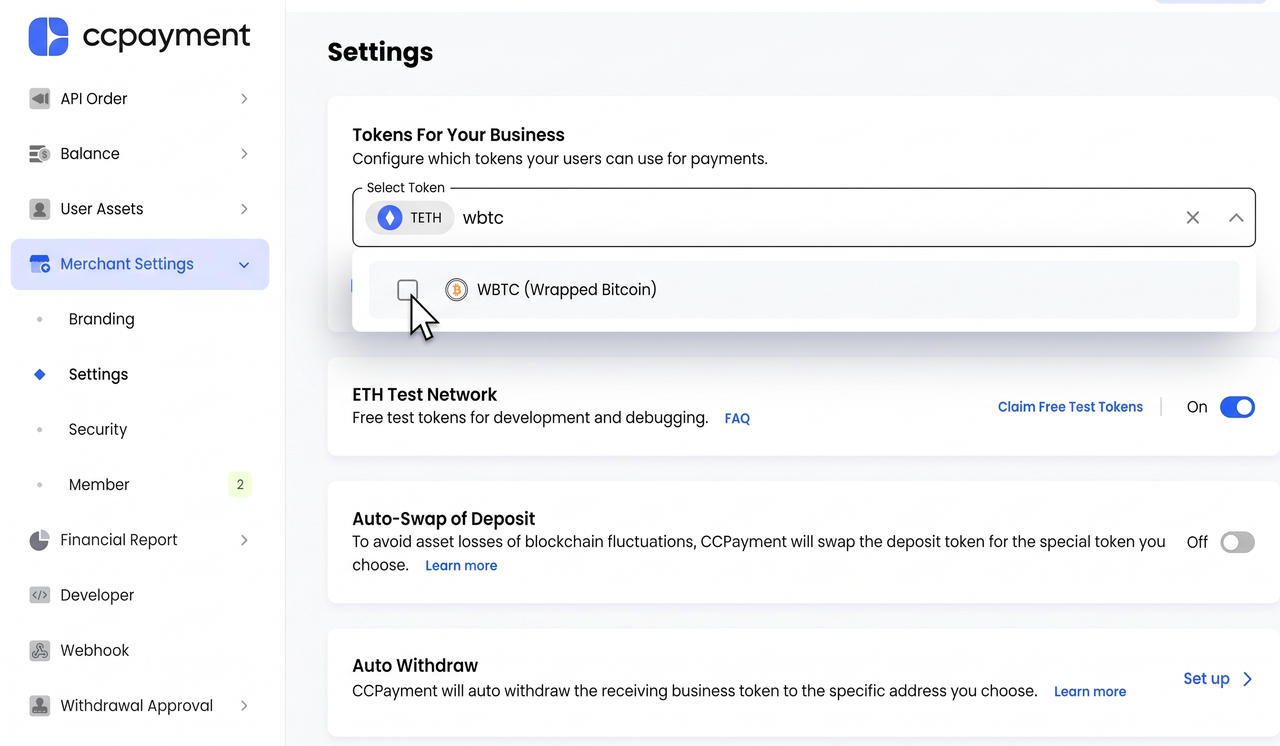
Existing CCPayment merchants can add WBTC through their current integration. Once WBTC is enabled under Merchant Settings → Settings → Tokens For Your Business, customers can use it through the payment flow configured by the merchant.
CCPayment currently supports WBTC on Ethereum. The payment screen should make the asset and network clear before a customer sends funds, helping reduce avoidable routing errors at checkout.
Identify and Track Each WBTC Payment
CCPayment sends real-time Webhook notifications when a WBTC payment status changes, so your system can respond without constant polling. Treat each webhook as a status notification. Verify its signature and query the corresponding payment record, then fulfill the order only after confirming a successful payment status.
Each payment record keeps the operational details together, including the asset, amount, status and on-chain transaction hash. That gives product, support, and finance teams a straightforward way to trace a WBTC payment from customer order to blockchain transaction, while idempotent handling helps prevent duplicate fulfillment when a notification is retried.
Manage WBTC from the Merchant Dashboard
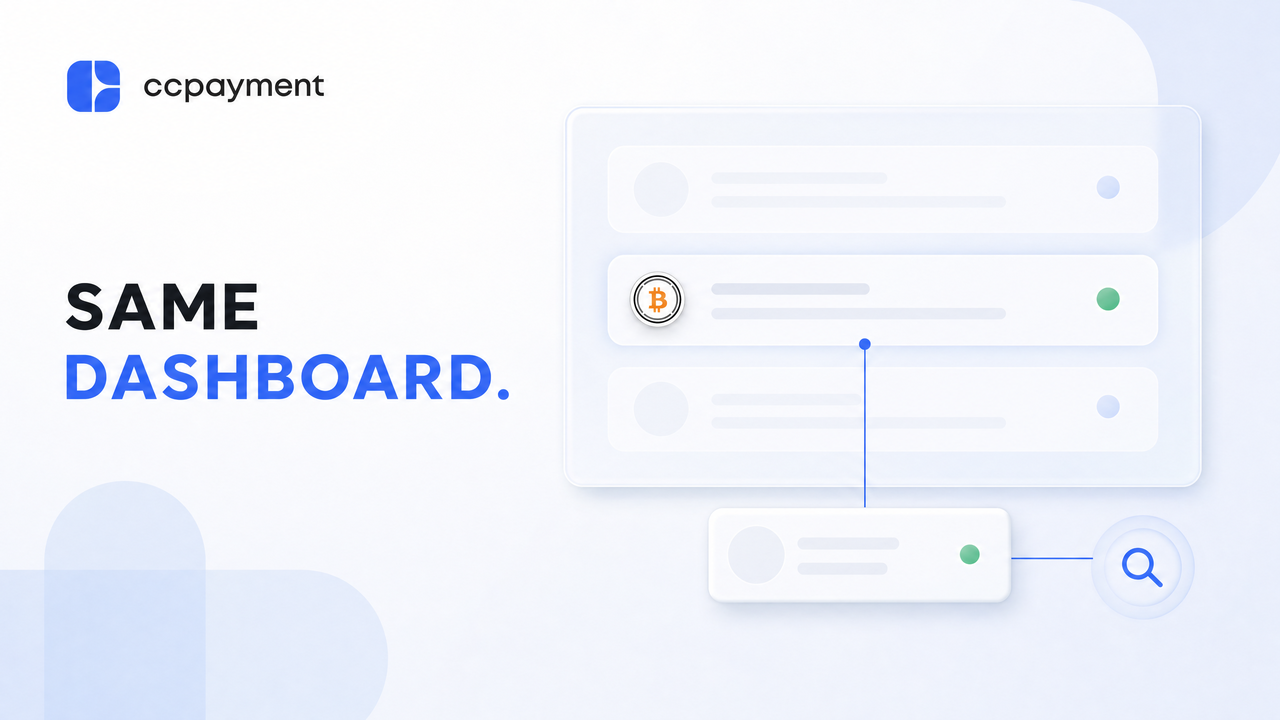
Once WBTC is added to your payment flow, the practical question is whether your team can trace a payment without moving between systems. CCPayment keeps WBTC activity in the same merchant workspace used for your other supported assets, so operations and finance teams can review payment status and transaction details alongside the relevant business record.
For an on-chain check, use the payment's txid to view the transaction on the relevant blockchain explorer. When you need the CCPayment-side record, search the recordId in the Merchant Dashboard to view the related transaction details. This gives your team two useful paths for investigating a payment: the on-chain transaction trail and the merchant-side record connected to your payment operation.
That is useful when a customer asks about a WBTC payment, a support agent needs to confirm a subscription renewal, or a finance team is reconciling a completed order. WBTC does not have to become a separate exception in your process. It can sit alongside the other assets you already accept, with the same transaction visibility and follow-up workflow.
Start Accepting WBTC with CCPayment
Adding WBTC should feel like adding a payment option, not building a new payment process. Once it is enabled for your business, customers who already hold WBTC can use it in the payment flow you have chosen, while your team continues to work from the same Dashboard, Webhook notifications, and transaction records.
If WBTC fits the assets your customers use, start by enabling WBTC and adding it to a single checkout or order flow. Test the customer journey and your internal payment-review process, then extend it to the products or services where it makes the most sense.
👉 Explore API Documentation
👉View Supported Cryptocurrencies
👉 Book a Demo
FAQ
Q1: Why should businesses accept WBTC payments?
A: Accepting WBTC payments can help businesses serve customers who already hold Wrapped Bitcoin and prefer to pay with the asset in their wallet. Instead of asking customers to swap WBTC into BTC, a stablecoin, or another token before checkout, merchants can offer an additional payment option that may reduce conversion friction and support a smoother payment experience. On CCPayment, WBTC payments are currently supported on Ethereum.
Q2: How can merchants add WBTC payments without rebuilding their checkout?
A: Existing CCPayment merchants can add WBTC to their current payment flow rather than building a separate checkout, order-management process, or payment stack for Wrapped Bitcoin. Once WBTC is enabled for the business, it can be offered through the merchant’s configured payment flow alongside other supported assets.ccpayment
Q3: How can accepting WBTC improve crypto checkout efficiency?
A: Customers who already hold WBTC may otherwise need to swap assets, complete additional token approvals, pay network fees, and return to checkout before they can pay. Supporting WBTC can remove that extra conversion step when the merchant’s payment flow and the customer’s selected network support it, helping reduce avoidable friction in crypto checkout.
Q4: How can teams track and reconcile WBTC payments?
A: Merchants can associate WBTC payments with an order or payment reference and use CCPayment’s transaction records to review the asset, amount, payment status, and on-chain transaction hash. Webhook status notifications and Merchant Dashboard records can help operations, support, and finance teams verify payment progress, investigate exceptions, and match completed payments to the relevant business record.
Q5: How should I confirm a WBTC payment?
A: Treat the Webhook as a status notification. Verify its signature, then query getAppOrderInfo for a merchant-specified order or getInvoiceOrderInfo for a customer-selected checkout before fulfillment. Use idempotent processing to prevent duplicate credits.
Crypto Adoption for Business 2026
Deep dives into Web3 payments, industry trends, and how to scale your global commerce with zero-code integrations.